Gaming PC Bundle vs Building Your Own: Which Saves You More?
Building your own PC feels like a smart-money move. You pick every part, skip the retailer’s margin and earn some bragging rights. Then the receipts pile up: a monitor, a keyboard, a mouse, a Windows licence and a weekend lost to cable routing.
A gaming PC bundle takes the opposite approach. One purchase, one delivery, and you’re playing the day it arrives. So which route costs less? It depends on what you count. This guide compares both honestly, including the costs people forget.
What Is a Gaming PC Bundle?
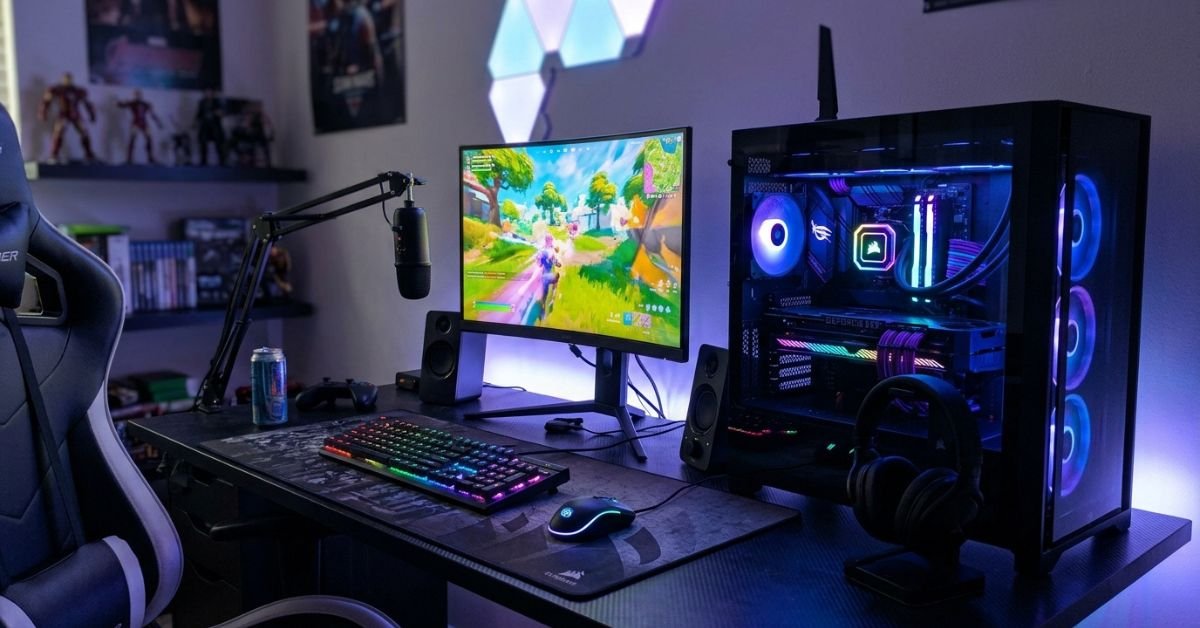
A gaming PC bundle is a prebuilt gaming desktop sold with the accessories you need to play, typically a monitor, keyboard and mouse, and sometimes a headset. The parts are matched, assembled and tested before they ship.
Most gaming PC bundles UK buyers come across fall into two types:
- Gaming PC and monitor bundle: the tower plus a screen chosen to suit its performance.
- Full-setup bundle: a gaming PC bundle with keyboard and mouse as well as the display, so nothing else needs buying.
Retailers such as Veno Scorp build their systems in-house and group them with accessories in a dedicated bundles range, which makes complete setups easy to compare side by side.
The Real Cost of Building Your Own
Parts lists look cheap until you finish them. A first build needs a CPU, graphics card, motherboard, RAM, SSD, power supply, case and cooler. Then come the extras that rarely make it into the budget:
- A Windows licence
- A monitor, often the biggest single extra
- A keyboard and mouse
- Thermal paste and basic tools, if you don’t own them
There’s also the risk cost. Incompatible RAM, a bent CPU pin or an underpowered power supply can erase whatever you saved. Parts bought separately mean separate warranties and separate support queues when something fails. A first build can easily swallow an evening or more.
None of this makes building a bad choice. It means the headline saving is smaller than it looks.
Where a Gaming PC Bundle Saves You Money
Accessories are already sorted. A gaming PC bundle with monitor, keyboard and mouse removes the shopping, the compatibility questions and the risk of buying a screen that doesn’t suit your graphics card.
You pay for fewer mistakes. Prebuilt systems are tested before delivery. If something’s wrong, you contact one company, not five.
Spreading the cost is easier. Veno Scorp offers Klarna finance with terms from 3 to 24 months, subject to approval for UK customers aged 18 and over. For many buyers, a manageable monthly payment matters more than shaving a few pounds off a parts list.
You start sooner. Many Veno Scorp systems are listed with next-day delivery, so you’re gaming within days rather than waiting on parts from several stores.
Where Building Your Own Still Wins
Building comes out ahead in a few situations:
- You already own a good monitor, keyboard and mouse, so a bundle’s accessories would be duplicates.
- You want a specific case, colour theme or component brand.
- You enjoy the process and want to learn how a PC fits together.
- You plan to upgrade one part at a time over several years.
Gaming PC Bundle vs DIY Build: Side by Side
| Factor | Gaming PC Bundle | Build Your Own |
| Upfront cost | Often one price, accessories included | Parts and extras added up separately |
| Monitor, keyboard, mouse | Usually included | Bought separately |
| Time to first game | Unbox and plug in | Several hours to build and install |
| Warranty and support | One provider | Multiple manufacturers |
| Customisation | Limited to the range | Complete freedom |
| Risk of mistakes | Low | Moderate for beginners |
| Best for | Beginners, gifts, fast starts | Enthusiasts, existing setups |
How to Spot Real Gaming PC Bundle Deals
A low price isn’t a bargain if the parts are unbalanced. When comparing gaming PC bundle deals, check these five things:
- The graphics card first. It does most of the work in games, so it should get the biggest share of the budget.
- RAM and storage. 16GB of RAM and an SSD are a sensible minimum for modern titles.
- Monitor specs. Match resolution and refresh rate to what the graphics card can deliver. A 4K screen on an entry-level card ends in disappointment.
- Warranty and returns. Read the terms before you buy.
- What’s actually included. Confirm whether “bundle” means a monitor only or a full set of peripherals.
Common mistake: Choosing a bundle for its large monitor while ignoring the GPU. A bigger screen doesn’t add a single frame per second.
Did you know? The graphics card usually has the biggest influence on gaming performance. That’s why a bundle with a strong GPU and a modest monitor often beats a flashy display paired with weak hardware.
Expert insight: From comparing how first-time buyers shop, the costly surprises tend to sit outside the PC itself: forgotten peripherals, mismatched screens and nobody to call when something goes wrong. A bundle removes most of those traps.
Which Option Should You Choose?
Pick a bundle if you’re starting from scratch, buying a gift, want to spread the payment or simply want to play this week. Build your own if you already have the accessories, know which parts you want and enjoy the process.
Still unsure? Price both. Add the monitor, keyboard, mouse and Windows licence to your parts list, then compare the total with a complete bundle. The gap is often smaller than expected, and sometimes it reverses.
Ready to Pick Your Gaming PC Bundle?
So does a gaming PC bundle or a DIY build save you more? For buyers starting from nothing, a bundle usually wins on convenience, risk and total setup cost. For people who already own good peripherals and enjoy building, DIY can still come out ahead. Count the whole setup, not just the tower, and the answer becomes clear. Contact Us at Veno Scorp for help choosing a gaming PC bundle that suits your budget and gaming needs.
FAQs
1. Is a gaming PC bundle cheaper than building your own?
For beginners, often yes, once you add a monitor, keyboard, mouse and Windows licence to the parts list. If you already own those items, building can cost less. Compare the full setup total rather than the tower alone.
2. What comes in a gaming PC bundle with a monitor?
Typically the gaming PC and a monitor, and often a keyboard and mouse too. Contents vary by listing, so check exactly what’s included before you buy.
3. Are prebuilt gaming PC bundles good quality?
It depends on the builder. Look for tested systems, recognised brands for core parts, a clear warranty and genuine customer reviews. Veno Scorp builds its PCs in-house and backs them with warranty cover.
4. Can I upgrade a gaming PC bundle later?
Usually, yes. Systems built with standard components let you swap the GPU, RAM and storage over time. Check that the case and power supply have enough headroom for the upgrades you have in mind.
5. Can I buy a gaming PC bundle on finance in the UK?
Many UK retailers offer it. Veno Scorp provides Klarna payment plans, subject to approval, for UK customers aged 18 and over.